Druid 9.22
Deployment Dates
The table below lists the deployment date of Druid v9.22 across Druid Clouds. To view the Druid Releases Calendar, see Druid Releases.
|
Druid Cloud Community *.community.Druidplatform.com |
Druid Cloud US *.us.Druidplatform.com |
Druid Cloud Australia *au.Druidplatform.com |
Druid Cloud West-Europe (PROD) *.Druidplatform.com |
|---|---|---|---|
| May 07, 2026 | June 04, 2026 | June 04, 2026 | June 04, 2026 |
These release notes give you a brief, high-level description of the improvements implemented to existing features.
If you have questions about your Druid tenant, please contact support@Druidai.com or your local Druid partner for more information.
- Netopia Payment Audit Logs
- Monitoring Druid Voice Connectivity - SIP Ladder
- Connector Diagram - Search Integration Task
- Read Excel Connector Task - Column Index Fix
Improvements
- Druid SIP - IP Whitelisting. Druid SIP now supports enhanced security through AI Agent-specific IP rules. Authors can restrict AI Agent access by defining Allowed IPs within the General tab of the Druid SIP configuration. This update provides flexible access control by supporting individual IP addresses, CIDR-based subnets, and wildcard patterns to ensure only authorized traffic reaches your voice integration.
- File Upload - Global Allowed File Types. We have introduced a new parameter, Allowed file types at the AI Agent level to streamline file upload management across your entire AI Agent configuration. Previously, file type restrictions were limited to individual flow step configurations or conversation variables.
- Conversation Level (Highest Priority)
- Flow Step Level
- AI Agent Level.
- Error Visibility for Code Extension. To improve troubleshooting and system transparency, we have enhanced how Code Extension errors are captured and displayed. Any failures occurring within a Code Extension, including variable assignments or missing entity fields defined in the code, are now logged in both Conversation History and Conversation Trace.
- Netopia Payment Audit Logs. We have enhanced the Netopia integration to provide better visibility into payment retries. The payment step now remains active during failed attempts, capturing all relevant data into a payment history log.
- Monitoring Druid Voice Connectivity - SIP Ladder. To support Druid Voice troubleshooting, we have added a dedicated SIP Ladder to the Conversation History. This feature allows administrators to monitor AI agent connectivity by providing a visual event history of all signaling between the Druid SIP server and the contact center.
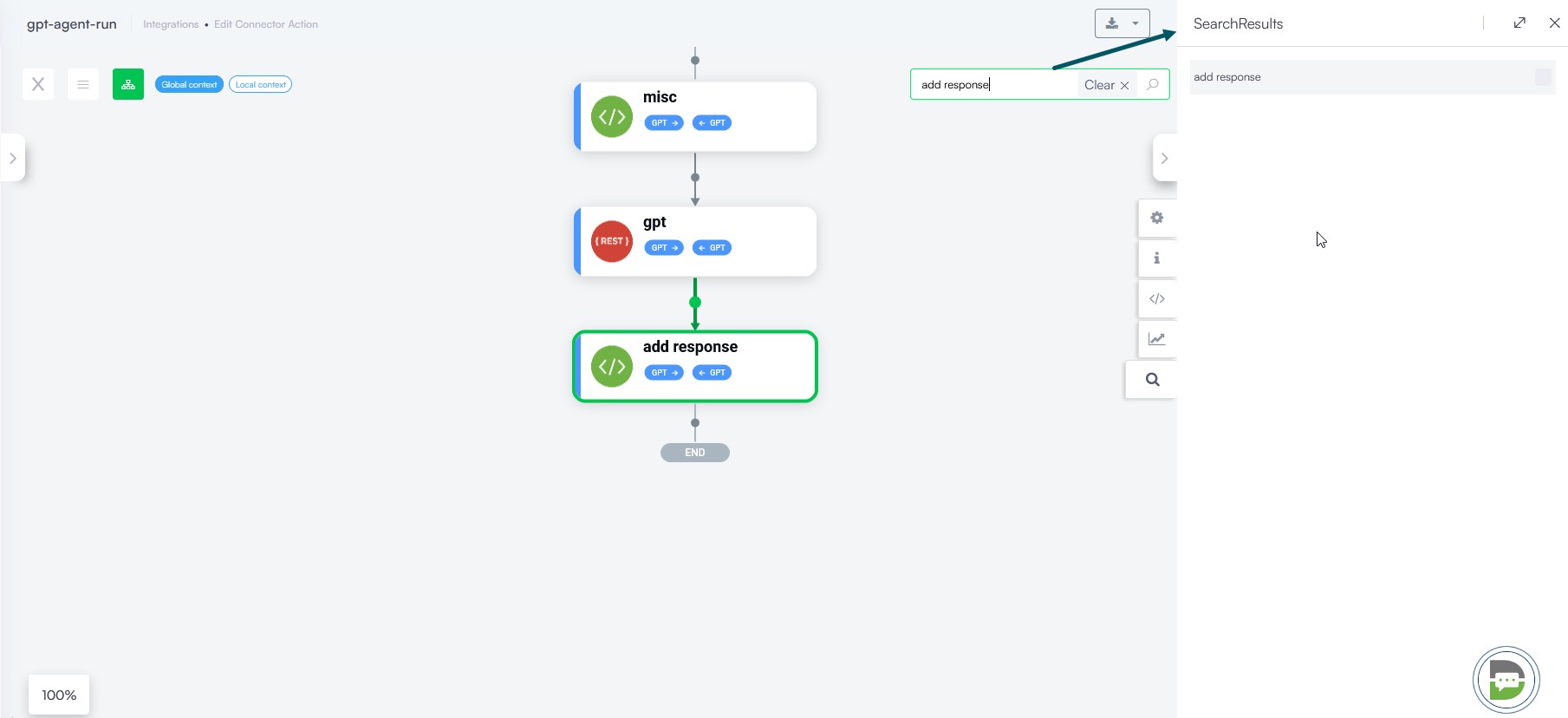
- Connector Diagram - Search Integration Task. To streamline the authoring experience, we have introduced a search task feature within the Connector Diagram. Similar to the flow step search functionality in the Flow Diagram, authors can now quickly locate specific integration tasks by name.
With this update, you can define a single security policy in the AI Agent General tab for all file upload interactions. This improvement provides the flexibility to expand or restrict accepted extensions using a standardized File Type Priority Logic:
For more information, see File Type Priority Logic and General Settings.
This update ensures that errors which previously resulted in silent failures or missing error logs are now fully visible, allowing for faster debugging and more accurate conversation tracking.
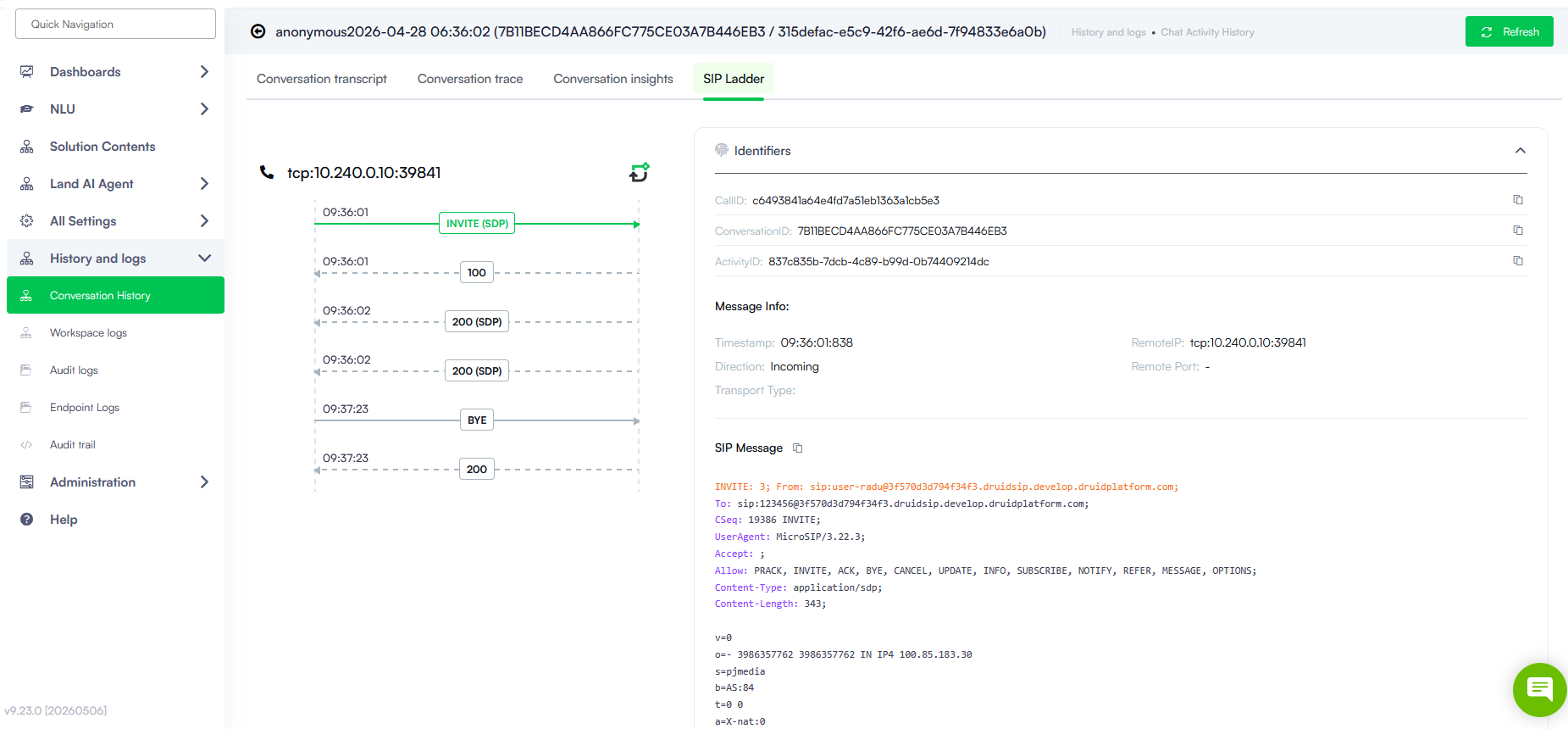
For more information, see Monitoring Voice Connectivity.
Bug Fixes
- Live Chat - Timeout Handling. Fixed an issue where inactivity rules were incorrectly triggered by agent silence during a live chat session. Previously, if a helpdesk agent did not reply but the Live chat conversation idle timeout mins was reached, the system would erroneously trigger the Inactivity cancel conversation flow or the ConversationIdleWarningMessage. This fix ensures that timeout actions are strictly reserved for user inactivity, preventing the system from sending warning messages or canceling the session when the client is waiting for an agent response.
- Read Excel Connector Task - Column Index Fix. Fixed a connector error that occurred when reading Excel files with columns indexed by double letters (e.g., AA, AB). Previously, the Read Excel connector task incorrectly identified double-letter indices as duplicates of single-letter columns, triggering a "Duplicate Key" error (e.g., treating "AA" as "A"). This fix ensures that the connector task correctly parses and maps all column indices, allowing for accurate data retrieval from large spreadsheets with more than 26 columns.